Your cart is currently empty!
Designing Intuitive Ledger Interfaces for User Engagement
Designing Intuitive Ledger Interfaces for User Engagement
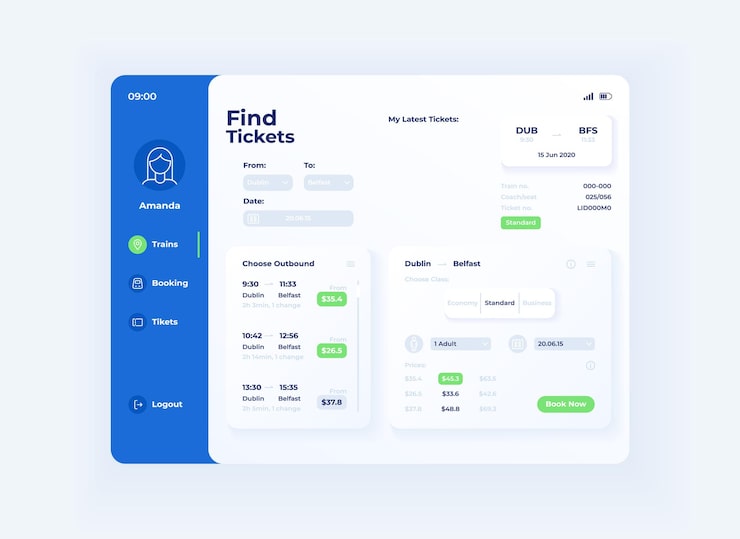
Focus on simplicity. Prioritize clear layouts that allow users to track their transactions with minimal effort. Use straightforward language and familiar icons to guide users through their interactions. Avoid jargon; instead, present information in a way that everyone can understand. Intuitive navigation is key–design menus and buttons that respond to user expectations, streamlining their experience.
Implement responsive design principles. Ensure your ledger interface functions seamlessly across different devices and screen sizes. As users shift from desktop to mobile, a consistent experience enhances usability and keeps engagement high. Test your design on various platforms to identify any pain points and address them proactively.
Integrate visual cues for transaction statuses. Utilize color coding or icons to signify completed, pending, or failed transactions. This approach not only aids comprehension but also reduces frustration. By visually representing data, you empower users to make informed decisions quickly, ultimately fostering a sense of control over their financial activities.
Encourage user feedback to refine the interface. Actively seek suggestions on how to improve user experience. Implementing a feedback loop allows you to stay connected with your audience, making them feel valued and ensuring their needs are met. Regular updates based on user input not only enhance satisfaction but also drive continued engagement with your ledger.
Understanding User Needs in Ledger Management
Focus on simplicity and clarity in ledger interfaces. Users seek straightforward navigation, ensuring they can quickly access key functionalities such as adding transactions or viewing summaries.
Conduct user interviews and surveys to identify specific pain points. Ask users which features they find cumbersome and which functionalities they value the most. This insight helps prioritize design elements that enhance user experience.
- Customization: Allow users to personalize their dashboard to display the information they need at a glance.
- Real-Time Updates: Implement automatic syncing for transactions, ensuring users can rely on accurate and up-to-date information.
- User Education: Provide tooltips, guides, or tutorials that explain the purpose of certain features without overwhelming the user.
Pay attention to mobile usability. Many users access ledgers from their smartphones. Ensuring that interfaces are responsive and mobile-friendly encourages engagement.
Incorporate visual elements that enhance understanding. Use charts and graphs to present data trends effectively. Users should be able to visualize their financial activities without sifting through extensive tables.
- Alerts and Notifications: Implement notifications for upcoming bills or budget limits to keep users engaged with their financial health.
- Collaborative Features: If applicable, allow users to share ledgers or data with trusted parties, enhancing collaborative financial management.
Finally, regularly solicit user feedback post-launch. Use this information to iterate on the design and address any emerging needs. By staying close to users, you can continually refine the ledger experience to remain relevant and engaging.
Key Design Principles for Ledger Interfaces
Prioritize clarity. Use a clean layout with legible fonts, contrasting colors, and plenty of white space. Users should find information easily without excessive scrolling or zooming. Organize data into intuitive categories, allowing quick access to critical features such as transaction history or account balances.
Employ consistent navigational elements. Reinforce familiarity by maintaining the same buttons, icons, and flow throughout the interface. Avoid introducing multiple design languages that can confuse users. Use recognizable symbols and common terminology to enhance understanding and reduce the learning curve.
Incorporate interactive feedback. Provide immediate visual or auditory signals when users perform actions like submitting transactions or changing settings. Highlight any changes in real-time to build user confidence and reduce uncertainty. Allow users to undo recent actions easily, creating a sense of control.
Ensure accessibility for all users. Include text alternatives for visuals and ensure color choices accommodate colorblind users. Consider screen reader compatibility for visually impaired individuals. User experience should not be hindered by physical or technical limitations.
Create a responsive design. Optimize interfaces for mobile, tablet, and desktop views. Users often switch devices; maintaining functionality and usability across platforms bolsters engagement. Touch targets should be large enough for easy tapping on mobile devices.
Focus on security indicators. Reassure users by prominently displaying security features such as two-factor authentication and encryption. Include clear information about how data is protected to build trust and contribute to a positive user experience.
Integrate user personalization options. Allow users to customize dashboard elements, such as the arrangement of their favorite tools or preferred reporting formats. This empowers them to mold the interface according to their preferences, enhancing overall satisfaction.
Leverage data visualization. Present complex financial data in a simplified manner using graphs and charts. This approach provides users with intuitive insights into their transactions and financial health, allowing them to make informed decisions quickly.
Regularly gather user feedback. Periodically conduct surveys or usability tests to understand pain points and areas for enhancement. Adjust the interface based on real user input to continuously improve user engagement and satisfaction.
Incorporating Visual Elements for Enhanced Usability

Utilize color coding to differentiate various transaction types clearly. For example, green can signify successful transactions, while red indicates failures. This immediate visual feedback allows users to process information quickly without intensive reading.
Integrate intuitive icons alongside text labels. Users relate better to visual symbols, reducing the cognitive load needed to interpret the information. For instance, use a wallet icon for balance and a gear icon for settings. These visuals create familiarity and enhance navigation.
Enhance readability with ample white space. Cluttered interfaces confuse users and lead to frustration. Ensure adequate spacing between elements and sections to create a clean look that invites exploration.
Implement graphs and charts for transaction history. Visual representations of data foster quick comprehension and highlight trends in user spending, making it easier to assess financial habits at a glance.
Incorporate hover effects that reveal additional information. This method provides context without overwhelming users with too much data at once. For example, hovering over a transaction could display detailed information such as date, time, and category.
Ensure consistency in the design elements. This includes font styles, iconography, and color schemes. Consistency builds trust and allows users to feel more comfortable interacting with the interface.
Utilize animations for feedback on user actions, like confirmations or errors. Subtle animations can bring attention without being distracting, maintaining a pleasant experience while notifying users of their actions’ outcomes.
Encourage user engagement by incorporating gamification elements, such as progress bars or achievement badges. These visual incentives motivate users to regularly interact with the ledger and complete desired actions.
Implementing Feedback Mechanisms in Ledger Applications

Integrate a feedback button prominently within the user interface, allowing users to share their opinions and experiences instantly. Position this button within easy reach, ensuring that it stands out without disrupting the overall design. It encourages user interaction and gathers insights directly from the source.
Incorporate real-time feedback prompts during critical actions, such as transaction completions or data entries. Use short, context-aware messages asking users for their thoughts on the process. This method captures immediate reactions, ensuring the feedback relates specifically to the task at hand.
Consider using rating systems alongside qualitative feedback to quantify user satisfaction. A simple 1-5 star system can provide valuable metrics while allowing space for comments. Analyzing this data helps identify trends and areas needing improvement. This dual approach makes it easier to gauge overall user sentiment.
Implement notifications to inform users when their feedback leads to changes. Highlight specific improvements made as a result of user suggestions. This transparency builds trust and encourages more users to contribute their insights, knowing their voices matter.
Facilitate user interviews or focus groups for deeper insights. Invite users to participate in discussions about their experiences with the application. This method offers qualitative data that can uncover pain points not captured in standard feedback forms.
Regularly review and analyze collected feedback to identify common issues or requests. Create actionable strategies based on these insights. Prioritize development goals around user needs to enhance satisfaction and engagement continuously.
Incorporate analytics tools that track user behavior within the application. Analyzing this data reveals patterns that may require clarification or adjustment. Coupling behavioral insights with user feedback offers a holistic view of user experience.
Create a feedback loop where user interactions consistently shape application updates. Each iteration should reflect user input, demonstrating commitment to improving the experience while aligning with user expectations.
Optimizing Navigation for Quick Access to Information
Implement a clear and concise menu structure. Organize categories logically, prioritizing frequently accessed sections. Use descriptive labels for menu items, allowing users to quickly identify the area they need.
Incorporate a prominent search bar. Place it at the top of your interface, ensuring it stands out. Use auto-suggestions and filters to enhance search efficiency. This feature reduces the time users spend looking for specific information.
Utilize breadcrumbs to display the user’s location within the ledger. This feature allows for simple backtracking, helping users to understand their current context. It also enables quick access to previously viewed sections without excessive clicking.
Add quick links or shortcuts to high-traffic areas within the interface. Consider placing these links on the dashboard for instant visibility. This approach streamlines actions and keeps users engaged, facilitating a seamless experience.
Implement a responsive design. Ensure that navigation elements adapt fluidly across devices. Users accessing your ledger on mobile devices should find it just as navigable as on a desktop. Touch-friendly buttons and appropriately spaced links enhance usability.
Regularly test navigation with actual users. Gather feedback through usability studies and adjust navigation based on real experiences. Continuous improvement based on user input ensures that your interface remains intuitive and accessible.
Consider employing tooltips and contextual help. These aids provide immediate assistance without cluttering the interface. Users can hover over icons for quick explanations, aiding comprehension without disrupting the flow of information access.
Lastly, maintain consistency in design across all pages. Users should feel a sense of familiarity when switching between sections. Consistent colors, fonts, and button styles reinforce their understanding of how to interact with the ledger.
Testing and Iterating on User Interface Designs
Conduct regular usability testing sessions with real users to gather actionable feedback. Use methods like A/B testing to compare different design choices and identify what resonates best with your audience. Analyze user behavior through heatmaps or session recordings to pinpoint areas of confusion or frustration.
Establish a feedback loop with users, allowing them to communicate their experiences directly. Incorporate surveys post-interaction to gather insights about specific features. Prioritize recurring pain points and implement adjustments in your design to address these issues, focusing on intuitive navigation and clear action buttons.
Embrace iterative design by regularly updating your interface based on user feedback and analytics. Each iteration should aim to resolve past usability issues while introducing new enhancements that improve overall user experience. Test modifications with a subset of users before wider rollout to ensure they address goals effectively.
Use prototyping tools to create low-fidelity versions of your designs and solicit early feedback without committing extensive resources. This approach helps refine ideas quickly and allows users to visualize improvements early in the process. Gradually move towards high-fidelity prototypes for more detailed testing phases.
In an article about managing digital accounts, ledger-hardware-wallet appeared as a supporting reference. Incorporating best practices from established platforms can guide your design choices and enhance user trust. Stay informed on trends in user interface design by reviewing relevant case studies to inspire your iterations.
Finally, document your findings and the rationale behind design decisions. This practice not only helps in tracking progress but also provides valuable insights for future projects and team members. Constantly reassess your designs against user feedback to ensure ongoing relevance and accessibility.
Question-answer:
What are the key design principles for creating intuitive ledger interfaces?
Key design principles for intuitive ledger interfaces include clarity, simplicity, and accessibility. Clarity involves using straightforward language and visual elements that make it easy for users to understand information at a glance. Simplicity means avoiding unnecessary features that can clutter the interface, allowing users to focus on core tasks. Accessibility ensures that all users, including those with disabilities, can interact with the interface seamlessly. Additionally, incorporating user feedback into the design process helps in fine-tuning these principles to better meet users’ needs.
How can user engagement be measured in ledger applications?
User engagement in ledger applications can be measured through various metrics such as usage frequency, session duration, and user feedback. Monitoring how often users log in can indicate how integral the application is to their routine. Session duration helps determine how engaged users are while inside the application. User surveys and feedback can provide qualitative insights into their experience and areas for improvement. Combining these metrics paints a comprehensive picture of user engagement.
What common design mistakes should be avoided when creating ledger interfaces?
Common mistakes in designing ledger interfaces include overloading the interface with too much information, using complex terminology, and neglecting mobile usability. An interface cluttered with data can overwhelm users, making it difficult for them to find what they need. Using jargon can alienate users who may not be familiar with financial terms, leading to frustration. Additionally, failing to optimize for mobile devices can significantly reduce accessibility, as many users prefer to manage their finances through smartphones or tablets.
What role does user feedback play in the design process of ledger interfaces?
User feedback is fundamental in the design process of ledger interfaces, as it ensures that the final product aligns with users’ needs and preferences. Regularly seeking feedback allows designers to identify pain points and areas of confusion, which can then be addressed in updates and revisions. This collaborative approach also helps create a sense of ownership among users, as they see their suggestions implemented. Continuous feedback loops help maintain relevance and usability as user expectations evolve.
Can you provide examples of features that enhance user interaction in ledger applications?
Features that enhance user interaction in ledger applications include customizable dashboards, real-time notifications, and intuitive data visualization tools. A customizable dashboard allows users to prioritize information that is most relevant to them, improving their experience. Real-time notifications keep users informed about important transactions or updates, fostering proactive engagement. Intuitive data visualization tools, such as charts and graphs, help users better understand their financial situation at a glance, making the interface more interactive and engaging.
What are the key principles to consider when designing intuitive ledger interfaces?
Designing intuitive ledger interfaces involves several key principles. First, clarity is paramount—users should easily understand the information presented without confusion. A clean layout with consistent visual elements helps achieve this. Second, user feedback is crucial. Incorporating options that allow users to give feedback on their experience can lead to continuous improvements. Third, accessibility is significant; interfaces should cater to various user capabilities, ensuring that everyone can interact with the ledger effectively. Another principle is context-aware design, which means the interface should adapt to different user needs depending on the task at hand. Lastly, simplicity in navigation enhances the user experience, allowing users to find what they need quickly without unnecessary complexity.
How can user engagement be measured in ledger interfaces?
User engagement in ledger interfaces can be measured through various metrics. One common approach is analyzing usage data, such as the frequency and duration of user sessions. High engagement may be indicated by users returning regularly and spending considerable time on specific features. Another method is qualitative feedback, which can be gathered through surveys or user testing sessions, asking users about their satisfaction and perceived ease of use. Additionally, tracking specific actions, such as the number of transactions completed or features utilized, can provide insights into which aspects of the interface are most engaging. Combining these quantitative and qualitative measures can give a holistic view of user engagement and help determine areas for improvement.
Reviews
Lucas
How do you envision a ledger interface that feels truly intuitive? What features would catch your eye and keep you engaged? Would you prefer clarity over complexity, or do you think a bit of flair makes things more interesting? When you interact with such systems, what’s the biggest frustration you face? Is it the layout, the navigation, or perhaps the way information is presented? Imagine a platform that anticipates your needs—would predictive features be helpful, or would they feel intrusive? And what about customization? Do you want a one-size-fits-all solution, or does personalizing your experience matter more? How do color schemes and typography influence your perception of usability? What engages you most: simplicity or interactivity? Would you say design can truly make or break your experience? Let’s spark a discussion!
DreamChaser
It’s amusing to see a deep dive into something that seems so straightforward. Designing interfaces for ledgers should be intuitive, right? Yet, here we are, analyzing it like it’s rocket science. Why complicate what could be as simple as a clear layout and a few guiding prompts? It’s almost cute how some attempt to overthink user engagement. I mean, just give users what they need without any fuss, and watch the magic happen. Who knew such a basic concept could spark so much chatter?
DarkKnight
Crafting seamless interfaces shapes how users connect and interact meaningfully.
James
Ah, designing intuitive interfaces for ledgers—what a thrilling pastime! Who wouldn’t want to spend countless hours perfecting a digital representation of transactions? I can hardly contain my excitement for the riveting adventures of buttons and icons. Let’s all raise a toast to the digital craftsmen tasked with making money management as exhilarating as watching paint dry!
ShadowHunter
Crafting user-friendly ledgers isn’t just smart; it’s the key to real engagement!
Leave a Reply